If the Cisco IOS on a router is corrupt or compromised, service outages and network attacks may result. Therefore, it is important to take security precautions throughout the lifecycle of the Cisco IOS images on your Cisco routers. A first step that you can take is to verify that the Cisco IOS image has not been corrupted in any way during transit from the Cisco download center. Cisco makes the Message Digest 5 (MD5) and Secure Hash Algorithm 512 (SHA512) versions of the Cisco IOS image files available for download.
若路由器上的 Cisco IOS 損毀或遭到入侵,可能會導致服務中斷與網路攻擊。因此,在 Cisco 路由器上的 Cisco IOS 映像檔整個生命週期中,採取安全防範措施十分重要。您可以採取的第一步,是驗證 Cisco IOS 映像檔在從 Cisco 下載中心傳輸的過程中未曾遭到任何損毀。Cisco 提供 Cisco IOS 映像檔的訊息摘要 5(MD5)與安全雜湊演算法 512(SHA512)版本供下載。
Message Digest and Secure Hash Algorithm files provide a checksum verification of the integrity of the downloaded IOS image. If the image is corrupted, the MD5 or SHA512 check will fail.
訊息摘要與安全雜湊演算法檔案可提供已下載 IOS 映像檔完整性的校驗和驗證。若映像檔已損毀,MD5 或 SHA512 檢查將會失敗。
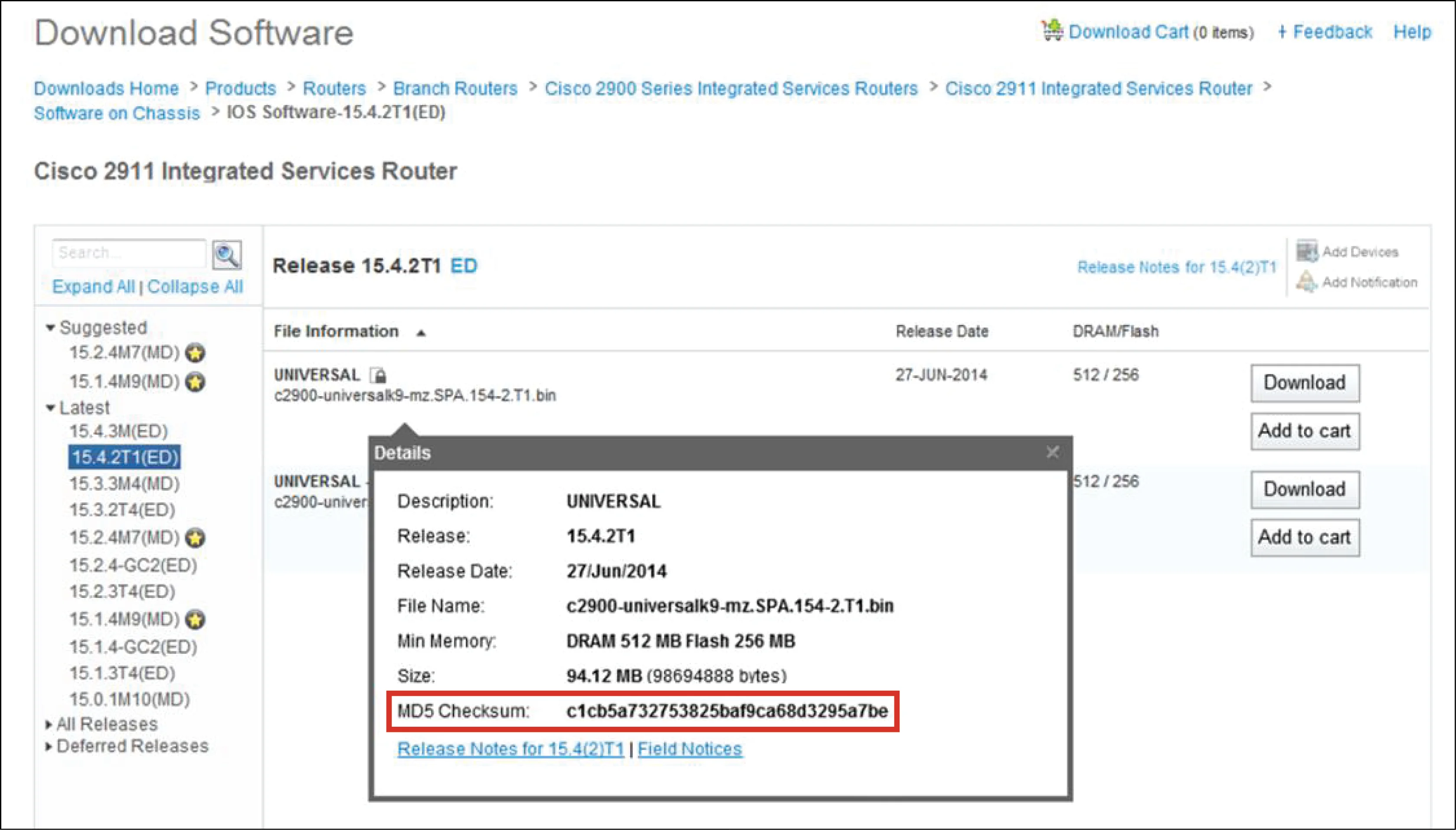
When retrieving IOS images from https://www.cisco.com, you should verify the Secure Sockets Layer (SSL) connection to ensure that you are connected to the real site. You should then note the MD5 or SHA512 digest that is reported on the download page. After retrieving the image from the Cisco site, you should use an MD5 or SHA512 digest calculator on the local system to verify that the digest matches that which is posted on the Cisco site. Cisco IOS itself offers the verify command to compute MD5 and SHA512 digests, as shown in the example:
從 https://www.cisco.com 取得 IOS 映像檔時,應驗證安全通訊協定層(SSL)連線,以確保您連接到的是真正的網站。接著應記下下載頁面上所顯示的 MD5 或 SHA512 摘要值。從 Cisco 網站取得映像檔後,應在本機系統上使用 MD5 或 SHA512 摘要計算工具,確認摘要值與 Cisco 網站上公佈的相符。Cisco IOS 本身也提供 verify 指令,可用來計算 MD5 與 SHA512 摘要,如以下範例所示:
Rtr-1# verify /sha512 flash:/c2900-universalk9-mz.SPA.157-3.M8.bin
......................................................................
.........<"Output Omitted">............................Done!
verify /md5 (flash:/c2900-universalk9-mz.SPA.157-3.M8.bin) = 35f2955a53004d9b2459b69a41fc3aec82ab55fc210f1630533445e04e0fb87f303e3e5d0c6935a0cbd87199f6835e2795cd7bec9b15cfe375ed46f833bc083b