Introduction
簡介
Imagine that you work at the IT helpdesk at a small financial company. While looking for some equipment in the storage room, you come across a dusty box full of old switches. You get the idea to bring one over to the office and let David, the intern, play around with it. You think about all the problems that he might come across.
假設您在一家小型金融公司的 IT 服務台工作。在儲藏室尋找設備時,您發現一箱布滿灰塵的舊交換器。您靈機一動,決定拿一台回辦公室,讓實習生 David 玩玩看。您開始思考他可能會遇到的各種問題。
You realize the following:
您意識到以下幾點:
- A physical connection needs to be made from a PC to the switch before any interaction can take place.在能夠進行任何互動之前,必須先建立 PC 與交換器之間的實體連線。
- Although the switch might behave like a small PC, it has no ports for a monitor, keyboard, or mouse.雖然交換器的行為可能像一台小型電腦,但它並沒有可連接顯示器、鍵盤或滑鼠的連接埠。
- Using commands that work on Windows or Linux will get you nowhere.使用在 Windows 或 Linux 上有效的指令,在這裡完全行不通。
- While the terminal interface might look like Windows or Linux, there is a different approach to navigating through it.雖然終端機介面看起來可能像 Windows 或 Linux,但操作方式卻不相同。
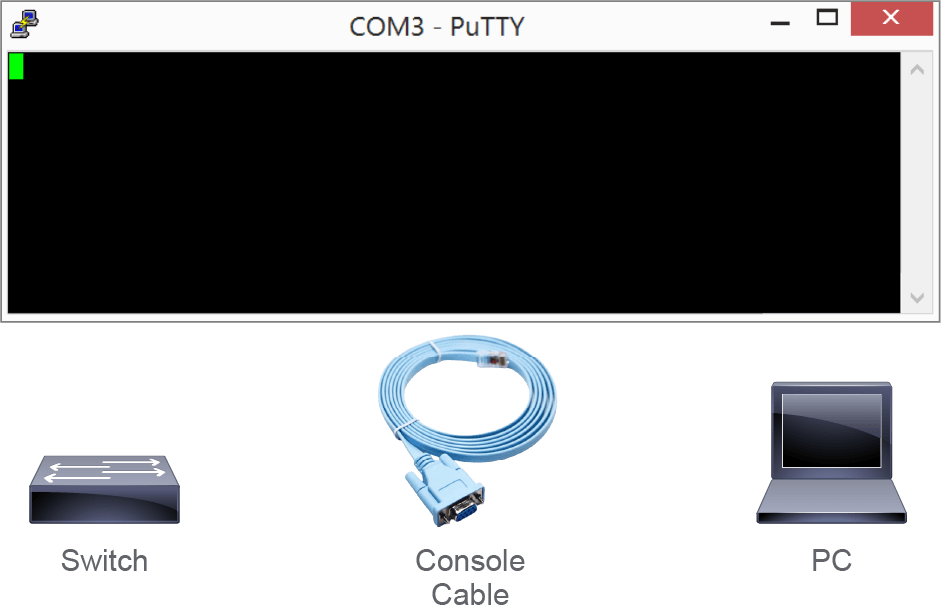
This figure shows the equipment at your disposal. A switch, a PC, and a console cable to connect them together.
此圖顯示您手邊可用的設備:一台交換器、一台 PC,以及用來連接兩者的主控台纜線。
 | How would you solve these problems? 您會如何解決這些問題? |
Networks engineers need to know how to operate Cisco IOS Software and perform various tasks. For example, using the command-line interface (CLI) to enter commands and navigating various modes in the Cisco IOS CLI and their hierarchical structure.
網路工程師需要知道如何操作 Cisco IOS Software 並執行各種工作,例如使用命令列介面(CLI)輸入指令,以及在 Cisco IOS CLI 的各種模式及其階層結構之間切換。
In this course, you will learn the following:
在本課程中,您將學到以下內容:
- Cisco IOS Software features and functions.Cisco IOS Software 的功能與作用。
- How to access the Cisco IOS Software CLI.如何存取 Cisco IOS Software CLI。
- About the Cisco IOS Software CLI functions.關於 Cisco IOS Software CLI 的功能。
- Cisco IOS Software modes.Cisco IOS Software 的模式。
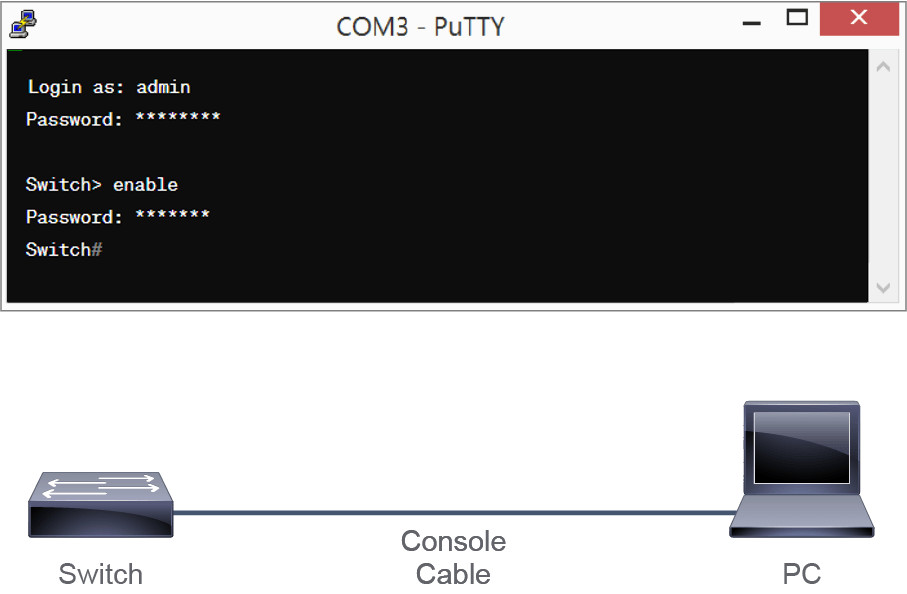
This figure shows a successful connection of the two devices and the management of the switch through a terminal window.
此圖顯示兩台裝置成功連線,並透過終端機視窗管理該交換器。